
Chicken Crash gives Philippine members a road-crossing format where each safe move changes the visible multiplier and keeps the next choice easy to follow. Within AGILACLUB, members should check stake, difficulty, current return, and collection controls before starting, so each round begins with the correct settings. This guide addresses players seeking clear rules, correct button use, and structured timing before placing PHP or USD bets.
How Chicken Crash operates at AGILACLUB for members
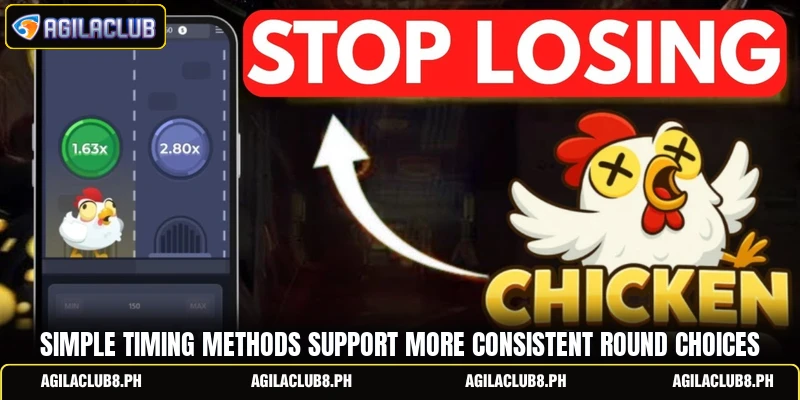
Chicken Crash uses a step-based sequence rather than reels, as the chicken crosses traffic lanes while the payout figure changes after each successful action. Players choose an amount, select difficulty, begin the run, and judge whether the displayed value is acceptable before another crossing. A failed move ends the attempt, while collection records the return shown when the button is pressed.
The main appeal of Chicken Crash comes from visible choices, since members compare the next increase with the chance that the active stake may disappear. PHP and USD values require direct checking, because minimum stakes, limits, and payout caps can differ by account or session. Each result stands alone, so earlier traffic patterns or safe crossings do not provide a reliable signal for the next attempt.

Rules that shape each road crossing round
Every round follows a fixed order, and knowing that sequence prevents mistaken clicks while the multiplier changes quickly. Players should confirm currency, stake, difficulty, and the collection control before beginning a paid attempt.
Chicken Crash round setup
Open the title, then check whether the balance uses PHP or USD before entering an amount. Select difficulty after reading its lane count, step values, and failure exposure inside the information panel. Enter a stake within displayed limits, such as PHP 50 or USD 1, without assuming those examples apply to every account.
Press start once, then wait until the road view, character, and next-action button become fully active. Avoid repeated taps during loading, because extra input may trigger another move before the updated multiplier becomes clear. Before continuing, locate the collection button and verify that its label remains readable on the current device.
Reading each safe step
After the first safe crossing, the screen updates the potential return and keeps the stake tied to that run. Players can compare that amount with the next step, but the following move still carries a separate failure chance. The animation may look predictable, yet visual timing never proves that another lane will be safe.
In Chicken Crash, each accepted move changes the open payout before another decision appears, making careful reading more important than fast tapping. Check the figure after every update, especially on smaller phones where buttons and numbers may sit close together. When connection quality drops, pause input until the interface responds, because delayed commands can make collection difficult to confirm.
Closing the round on time
Select the collection control when the displayed amount matches the target chosen before the road sequence began. A successful exit moves the confirmed return into the available balance, subject to any settlement rules shown on screen. Players should wait for the balance update rather than opening another attempt immediately after pressing the button.
View more: Limbo Crash – Rules, Rounds, And Multiplier Choices
If Chicken Crash ends before collection, the active stake is lost and the next attempt receives a fresh result. Do not increase the following amount because of one failed crossing, since the earlier outcome cannot change the next sequence. Review the finished record, then confirm that the settled value matches the account history.

Methods for reading coefficients and choosing exits
Useful methods focus on visible settings, payout tables, device response, and decisions made before the road sequence starts. They cannot predict results, but they can reduce input errors and keep each attempt aligned with a clear exit condition.
Choosing a appropriate entry amount
Start Chicken Crash with an amount that allows several difficulty tests without changing the stake after one failed attempt. For example, a member holding PHP 1,000 might use repeated PHP 20 entries, while a USD wallet could follow its listed minimum. The aim is observing button sequence and payout movement under one amount, not chasing a specific return.
Check whether the platform rounds decimals, converts currency, or sets different minimums between PHP and USD balances. Use the amount field carefully, because an extra zero can create a much larger entry than intended. Confirm the final stake before starting, especially after switching devices, currencies, or saved settings.
Using targets before each run
Before opening Chicken Crash, choose a multiplier step or payout amount that will trigger collection during the attempt. A target such as 1.50x or PHP 75 gives the decision a clear reference, although the road may never reach it. Members should choose that target from the displayed step table rather than copying numbers from outside screenshots.
If automatic collection is available, enter the value carefully and confirm that the feature is enabled before starting. Manual collection gives players direct control, but it requires a stable connection and attention to the active screen. Whichever method is selected, avoid changing the target during movement, because hesitation can lead to a missed command.
Reviewing results across sessions
After several Chicken Crash attempts, review history for stake, settled return, currency, time, and any interrupted entries. This check can reveal duplicate taps, incorrect amounts, forgotten automatic settings, or confusion between PHP and USD balances. Records cannot identify the next result, but they can show whether setup errors continue across sessions.
Test changed controls in demo mode when available, especially after an app update or redesigned screen. Members should read the current help panel, because button names, difficulty levels, and limits may differ from older guides. Return to paid rounds only after understanding the new layout, collection response, and displayed currency without guesswork.
View more Category: Arcade
Conclusion
Chicken Crash becomes easier to follow when members understand the step order, read payout updates, and choose an exit point before each attempt. At AGILACLUB, members should review account limits, currency displays, and current game terms before using real funds on any round. Register, open the game on a preferred device, test the controls first, and download the app when available; good luck with each confirmed round.